
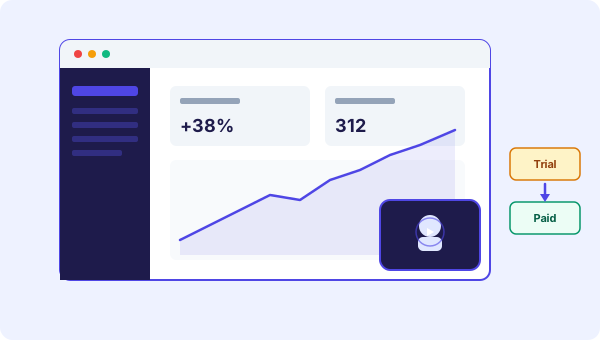
Where video bots fit in a SaaS funnel
A SaaS funnel has four obvious places where video helps:
- Marketing site: convince visitors to sign up
- Pricing page: reduce friction when comparing plans
- Inside the app: help new users find the first action
- Trial expiration: push trial users to paid
You do not need video everywhere. Pick one or two of these to test first. Most teams start with the marketing site because it is the easiest to set up.
Use case 1: The product demo on your homepage
Most SaaS landing pages have a "Watch demo" button. The button opens a 3-minute video tour. Almost nobody watches the whole thing.
A video bot does it differently. The widget sits in the corner of your page. Your face appears with a 20-second pitch. You tell the visitor what your product does in one sentence. You point them to a button that says "Start free trial" or "Watch a 90-second walkthrough."
The difference is that visitors choose what they want to see, instead of being pushed into a long video nobody asked for. Some people will start the trial right away. Others will watch the walkthrough first. Either way, you are not wasting attention.
Use case 2: Pricing page guidance
Pricing pages convert worse than they should. Visitors get there, see three columns of features, and bounce. They are not sure which plan fits them.
A short video on the pricing page fixes this. Twenty seconds of you explaining the difference between plans in plain English. No corporate talk. Just "If you are a solo founder, start with Starter. If you have a team, Pro makes sense."
This is the kind of thing a sales rep would say in a call. Most SaaS companies do not have sales reps for low-ticket plans. Video gives you the same effect without the headcount.
See our own pricing page for how this works in practice.
Use case 3: Onboarding new trial users
The first session inside your app decides whether a trial converts. If users do not get to a meaningful result in the first 5 minutes, they will not come back.
A video bot embedded inside your app can guide them. Place it on the dashboard or empty state. Twenty seconds of you saying: "Welcome. The first thing you want to do is X. Click here to start."
This is different from a tour overlay (the bouncing arrows and tooltips). Tours feel mechanical. A person on camera telling you what to do feels personal. Teams that have tried both consistently report video wins for activation.
Use case 4: Re-engaging trial users
Some trial users go quiet on day 3 or 4. They got distracted. They forgot why they signed up. Most companies send them an email. The email gets ignored.
Try this instead. When they come back to your site, show them a different video. Something like "Hey, I saw you signed up but did not finish setup. Want me to walk you through the rest?"
This requires page targeting (different videos on different pages or visitor states) and a way to detect returning trial users. Page targeting is straightforward with most video bot tools. The visitor detection is up to your backend, but a simple cookie check works.
Use case 5: Demo requests for higher-ticket plans
If you have an enterprise plan, you probably have a "Book a demo" form. Forms convert poorly compared to self-serve signups.
Add a short video next to the form. The founder or sales lead saying "Click the button and pick a 20-minute slot. Here is what we will cover." Putting a face on the form lifts conversion. People are more likely to book a meeting when they can already see the person they will meet.
What to put in your script
For SaaS, short and specific beats clever every time. Skip the brand storytelling. Get straight to the point.
A good homepage video script for SaaS hits three beats:
- What does the product do (one sentence)
- Who is it for (one sentence)
- What is the next step (one sentence)
Example: "Apikoo is a video bot tool for small business websites. If you want visitors to stop bouncing and start clicking, this is for you. Click below to try it free."
That is 20 seconds. Done. The rest of the convincing happens after the click.
We wrote a longer piece on CTA buttons and structure that goes deeper into pairing scripts with the right call to action.
Tools and setup
You do not need anything fancy. Phone camera, decent natural light, quiet room. A founder face beats a studio production for SaaS in the early stage.
For embedding, most video bot tools work with one line of code on your site. The Apikoo widget supports targeting different pages with different videos, plus live chat handoff if visitors want to ask questions before signing up. Our features page has the full list.
Measure what matters
Track three things:
- Watch time on each video
- Click-through rate on the CTA button under the video
- Conversion rate on the page where the video sits (vs the same page without)
The third one is the only one that proves real impact. Run the same page with and without the video for a week each, and compare signup rates. If the numbers go up, keep it. If not, change the script or the placement.
Start with one page
The mistake most SaaS teams make is trying video everywhere at once. Pick the page with the worst conversion rate and put a video there first. Measure for two weeks. If it works, add another. If not, change the approach before scaling.
The companies that get the most out of video bots treat them like a small experiment, not a big rollout. Test, measure, adjust.
If you want to try this without committing to a paid tool, Apikoo has a free plan. Record one short video, embed it on your pricing page or signup form, and see what happens to your numbers.