
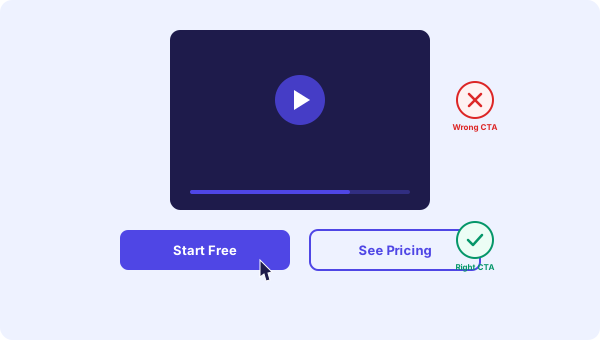
Buttons make or break your video bot
You recorded a great video. You uploaded it, set up the widget, embedded it on your site. Visitors are watching. But then what?
If your buttons say the wrong thing, point to the wrong place, or there are too many of them, visitors just close the widget. All that effort for nothing.
The buttons on your video bot are where engagement turns into action. Getting them right is not complicated, but it does require some thought.
Rule 1: One primary action per video
Every video should have one main thing you want the visitor to do. Not three. Not five. One.
Ask yourself: if this visitor could only click one button, what would I want it to be?
For a homepage welcome video, that might be "Start Free" or "See How It Works." For a pricing page video, that might be "Choose a Plan." For a product page, "Add to Cart" or "Book a Demo."
You can add a second button as a softer alternative (like "Learn More" alongside "Start Free"), but always have one clear primary action.
Rule 2: Use specific language, not generic
Generic buttons get ignored. Specific buttons get clicked.
Bad: "Click Here" or "Learn More" or "Submit"
Good: "See Pricing Plans" or "Book a Free Call" or "Watch Product Demo"
The visitor should know exactly what happens when they click. No surprises, no guessing. If your button says "See Pricing Plans," they expect to land on a pricing page. If it says "Click Here," they have no idea what comes next and most will not bother.
Rule 3: Match the button to the page
The right CTA depends on where the visitor is in their journey. Someone on your homepage is in a different mindset than someone on your pricing page.
Homepage buttons:
- "See How It Works" (curiosity stage)
- "Start Free" (low commitment)
- "Watch Demo" (visual learners)
Pricing page buttons:
- "Start Free Trial" (ready to try)
- "Compare Plans" (evaluating options)
- "Chat With Us" (has questions)
Product page buttons:
- "Add to Cart" or "Buy Now" (ready to buy)
- "See More Products" (browsing)
Blog page buttons:
- "Try It Free" (soft conversion)
- "Read More Articles" (keep them engaged)
You can set up different videos with different buttons on different pages using page targeting. One embed code handles everything automatically.
Rule 4: Two buttons is the sweet spot
One button is fine for a simple CTA. Two buttons give the visitor a choice without overwhelming them. Three or more starts to feel cluttered, especially in a small video widget.
The best two-button combo is: one action button + one softer alternative.
Examples:
- "Book a Call" + "See Pricing"
- "Start Free" + "Watch Demo"
- "Buy Now" + "Chat With Us"
The first button is for visitors ready to act. The second is for those who need more information. You catch both types.
Rule 5: Button type matters
Most video bot platforms offer three types of button actions:
URL buttons open a page. Use these for "See Pricing," "Book a Call," or any action that takes the visitor somewhere specific. This is the most common type.
Video buttons play another video in the same bot. Use these to create a multi-step experience. "Tell Me More" could play a detailed product explanation. "See a Case Study" could play a customer story. Great for guiding visitors through a decision process.
Chat buttons open a live chat window inside the widget. Use these for high-intent pages where visitors might have specific questions before buying. "Chat With Us" on a pricing page can be the difference between a bounce and a sale.
Rule 6: Test and change
Your first set of buttons will probably not be perfect. That is fine. Check your analytics after a week.
Look at click-through rate per button. If one button gets 80% of clicks and the other gets 2%, the low performer is dead weight. Replace it with something else and test again.
A few things to try:
- Change the button text ("Start Free" vs "Try It Now" vs "Create Your First Bot")
- Change the button action (URL vs chat vs video)
- Change the order (primary button first vs second)
- Remove one button entirely (sometimes less is more)
Small wording changes can make a big difference. "Book a Call" might get 3x more clicks than "Contact Us" even though they do the same thing.
Common mistakes
Too many buttons. If visitors see five options, they choose none. Keep it to two, max three.
Buttons that all go to the same place. If "Learn More," "See Features," and "How It Works" all go to your features page, you only need one.
No button at all. Some people set up a video bot with no CTA. The video plays, ends, and the visitor has nowhere to go. Always give them a next step.
Wrong page link. Your homepage video should not have a "Back to Home" button. That is where they already are. Send them forward, not in circles.
Just pick two and start
Do not overthink this. Pick the one action you want most, add it as a button. Add a softer second option. Launch it. Watch the data. Adjust.
Your buttons will evolve as you learn what your visitors actually want. The important thing is having them there in the first place.
Start free and set up your first video bot with buttons today.