
Product photos only tell half the story
You have great product photos. Multiple angles, zoom-in shots, lifestyle images. But your customers still have questions. How big is it actually? What does the fabric feel like? How does it sound when it closes? Does it match the color on their screen?
These questions kill sales. Every unanswered question is a reason to leave and "think about it." And "think about it" usually means "forget about it."
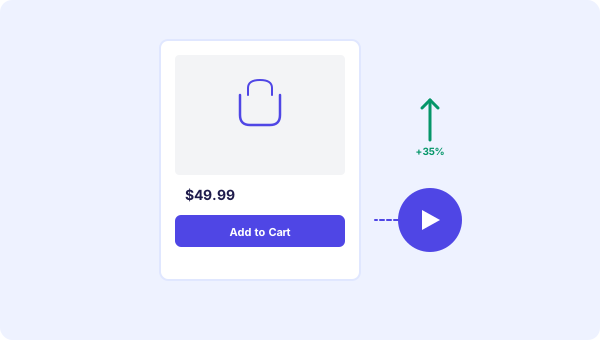
A short product video answers those questions before they become objections. And when that video comes with clickable buttons like "Add to Cart" or "See Size Guide," it does more than inform. It sells.
Why video works on product pages
Shopify reports that stores using product video see up to 80% higher conversion rates on pages where video is present. That is not a small bump. That is nearly doubling your sales on those pages.
The reason is simple: video shows the product in context. A photo of a backpack tells you what it looks like. A video of someone packing it, wearing it, and adjusting the straps tells you what it feels like to own it.
And when you add interactive buttons, the jump from "I like this" to "I bought this" gets much shorter.
What to show in a product video
You do not need a professional production. Grab your phone and record one of these:
The quick demo. Show the product in use for 15-20 seconds. A kitchen gadget chopping vegetables. A jacket being zipped up and pockets opened. A candle being lit. Simple, real, honest.
The comparison. "Here is the medium next to the large." Size and scale questions are the number one reason for returns in online shopping. A quick side-by-side video cuts return rates significantly.
The unboxing. Show what the customer actually receives. The packaging, the accessories, the product itself. Sets expectations and builds excitement at the same time.
The founder story. "Hey, I'm Sarah, and I make these candles by hand in my kitchen." For small brands, a personal touch creates emotional connection that big stores cannot match.
Pick one format per product. You can always add more later.
How to set it up
The setup takes about five minutes per product page:
1. Record your video (phone is fine, 15-30 seconds) 2. Upload to your video bot platform 3. Add buttons: "Add to Cart" or "Buy Now" for the primary action, maybe "See Size Guide" or "Chat With Us" as secondary 4. Set a page rule so this video only shows on this specific product page
With page targeting, you use one embed code on your entire store and different videos show on different pages automatically. Your homepage gets a welcome video, your product pages get product demos. One script handles everything. We covered this in detail in our article about personalized video and page targeting.
Button strategy for product pages
Keep it simple. Two buttons max per product video.
For low-price items ($5-50):
- "Add to Cart" (primary, direct action)
- "See More Colors" or "View Details" (secondary)
For high-price items ($100+):
- "Book a Call" or "Chat With Us" (builds trust before big purchase)
- "See Pricing Options" or "Compare Models" (helps with decision)
For subscription products:
- "Start Free Trial" (low commitment)
- "See Plans" (for comparison shoppers)
The wrong button choice wastes clicks. The right one drives revenue. We wrote a full guide on choosing CTA buttons if you want to go deeper.
Real results from real stores
A clothing brand added 15-second styling videos to their top 20 product pages. Result: 28% fewer returns and 35% higher add-to-cart rate on those pages. The total video production time was about 3 hours for all 20 videos.
A handmade jewelry shop added a video of the maker explaining each piece. Average time on product pages went from 45 seconds to over 2 minutes. Monthly revenue from the website went up 22% the following month.
A supplement company added a quick "how to use" video to each product. Support tickets about dosage and usage dropped by 40%. The videos paid for themselves in saved support time within the first week.
None of these businesses had a video team. They used a phone, natural light, and about 20 minutes per video.
Common mistakes on product pages
Putting the video on the wrong page. A generic brand video on a product page is useless. The visitor is past the "who are you" stage. They want to know about THIS product.
Making the video too long. Product videos should be 15-30 seconds. Not a review. Not a tutorial. Just show it, explain it, button it.
Forgetting mobile. Most e-commerce traffic is mobile. Your video widget needs to work on small screens. Make sure buttons are tappable and text is readable.
No call to action. A video without a button is just entertainment. Always give the viewer a next step.
Start with your best seller
You do not need to add video to every product at once. Pick your top-selling product or the one with the highest traffic. Add one video with one or two buttons. Measure the results for a week.
If it works (and it usually does), expand to your next five products. Then ten. You will build a library of product videos over time, and each one pays for itself in higher conversions and fewer returns.
Start free and add your first product video today.