
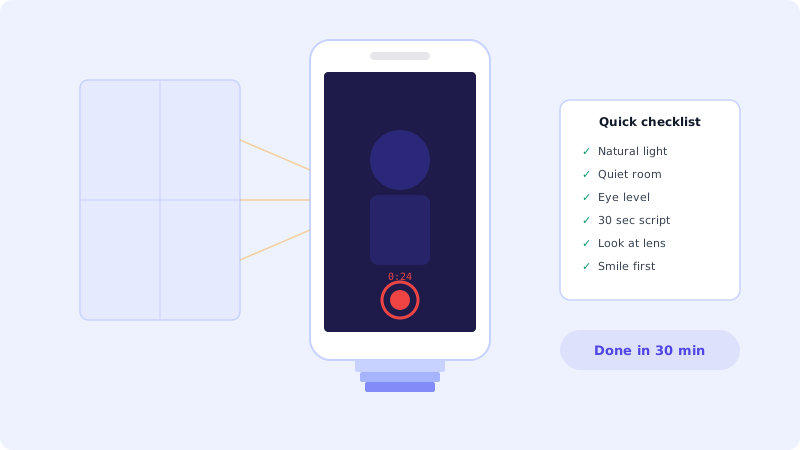
You do not need a studio
The number one reason business owners do not use video on their website is this: "I do not have the equipment." Or "I am not good on camera." Or "I will do it later when I have a proper setup."
Later never comes. Meanwhile, their website sits there with nothing but text and stock photos, losing visitors every day. (If you are still on the fence about whether video is worth the effort, the conversion numbers might convince you.)
Here is the truth: a decent phone video shot today is worth more than a perfect studio video shot never. Your customers do not care about production quality nearly as much as you think they do. They care about authenticity and getting the information they need.
The gear you already have
Your phone. That is it. Really.
Any phone made in the last few years shoots 1080p video, which is more than enough for a website video bot. Some things that help but are not required:
A window. Natural light from a window is the best lighting you can get for free. Sit facing the window so the light hits your face evenly. Never sit with the window behind you or you will look like a silhouette.
A quiet room. Background noise is more distracting than a slightly shaky camera. Close the door, turn off the AC if it is loud, and tell your family or roommates you need 10 minutes.
Something to lean your phone against. A stack of books works fine. Prop the phone up at eye level, not below (nobody looks good filmed from below). If you have a cheap phone tripod, great. If not, books and tape work.
The 30-second script formula
For a video bot, short is better. 15 to 30 seconds is the sweet spot. People will not watch a 5-minute video in a small widget on your website. They want the point, fast.
Here is a formula that works for almost any business:
Greeting (3 seconds): "Hey, welcome to [your company]."
Problem (5 seconds): "Looking for [what your visitors typically want]?"
Solution (10 seconds): "We help [target customer] do [main benefit]. Here is how it works..." Keep it to one or two sentences.
Call to action (5 seconds): "Click below to [see pricing / book a call / start free]. Or if you have questions, just hit the chat button."
That is it. Write it down, read it out loud twice, then hit record. Do not memorize it word for word. Just know the key points and talk naturally. A little stumbling is fine. It makes you sound human, not like a teleprompter robot.
Recording tips that make a big difference
Look at the camera lens, not the screen. This is the hardest habit to break. When you look at the screen, it looks like you are looking slightly away from the viewer. When you look at the lens, it looks like direct eye contact. Huge difference.
Smile before you hit record. Start with a genuine expression and it will carry through the video. People who start recording with a serious face tend to look stiff the entire time.
Record horizontally or vertically? For a video bot widget, vertical or square works better because the widget is tall, not wide. Check how your video bot displays videos and match that format.
Do multiple takes. Nobody gets it right the first time. Do 3 to 5 takes and pick the best one. It usually takes about 10 minutes total.
Keep your hands visible if possible. Talking with your hands makes you look more natural and energetic. If you are sitting at a desk, keep your hands on the desk, not in your lap.
Audio matters more than video
This might surprise you, but people will tolerate a slightly blurry video much more than bad audio. If your video sounds like it was recorded in a bathroom (echo, reverb), viewers will leave immediately.
A few easy fixes: record in a room with soft furniture, curtains, or carpet. These absorb echo. Avoid rooms with hard floors and bare walls. If you must record in an echoey room, hang a blanket or towel on the wall behind your phone. It sounds silly but it works.
Stay close to the phone. The closer you are to the microphone, the better you sound relative to background noise. About an arm's length away is good.
Editing (or not)
For a video bot, you probably do not need to edit at all. Trim the beginning and end to remove the awkward "reaching for the record button" moment, and you are done.
If you want to edit, your phone has built-in tools. iPhone has iMovie, Android has Google Photos editor. Both can trim, cut, and add basic titles.
Do not add music. It competes with your voice and the video plays in a small widget, often with low volume. Your voice should be the only audio.
Upload and test
Once you have your video, upload it to your video bot platform. (Apikoo has a free plan that lets you upload and embed without a credit card.) Watch it in the actual widget on your website. Does it look good at that size? Can you hear yourself clearly? Is the important stuff (your face, any product you are showing) visible in the small player?
If something does not look right, just record again. The whole process takes 20 to 30 minutes from start to finish, including setup. By your third or fourth video, you will be doing it in 10 minutes.
Just start
The biggest mistake is waiting for perfect conditions. Your first video will not be amazing. That is fine. Put it up, add a few CTA buttons, see how visitors react, and improve over time. A real person talking on your website, even if the lighting is not perfect, beats another stock photo every single time.